How to add friends in the game?
To add friends in Everyday Puzzles:
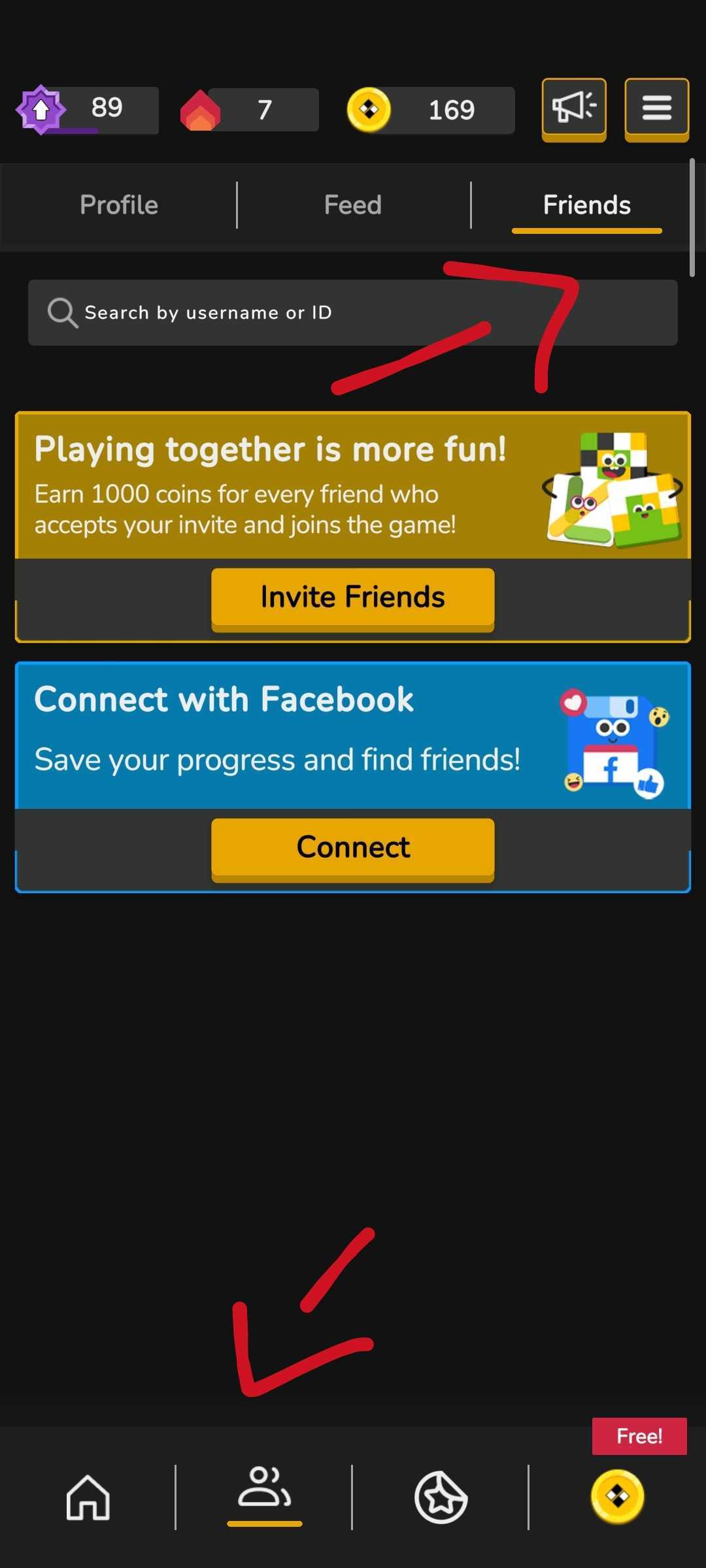
- From the home screen, tap the icon with two people at the bottom of the screen.
- On the new screen, select the "Friends" tab, located next to the "Feed" tab.
-
Use the search bar at the top of the tab to enter the Player ID or the username of the person you want to add.
This way, you can follow your friends and compare results!